
Features
Everything a celebration needs, in the order you need it.
From weddings and birthdays to graduations and anniversaries, follow your Celebration from the first idea to the memories afterwards. Everything here is included on Free.
1 · Create
Start with a title and a date.
Pick the occasion, set the date and write a few lines. Your Celebration stays private to you while you build it, and you publish it when you are ready.
A page of its own
Add your story, your photos and the details, then preview exactly what guests will see.
The Schedule
Add each part of the day with its date, time and place. Set RSVPs, plus-ones and capacity item by item. Up to 1 Schedule item.
Publish when ready
A draft is private. Choose who can see the finished page, then share it.
2 · Personalize
Make it feel like yours—and ready to share.
Choose a cover, tell your story and add your own photos. Then use the Appearance Studio for the page and invitation emails, and the Social Cards Studio for the images you share beyond Zeiral.
- A cover photo, a story and a Gallery of your own
- Themes, background patterns, fonts and the shape of buttons and cards
- Customizable cards for your Celebration, countdown, Wishlist, gifts and completed memories
- Choose from the layouts, decorative headings, background treatments and accent styles available to your Celebration
- Preview the real card, save each design separately and download it as a PNG
- Share through your phone to WhatsApp, Instagram, Facebook, TikTok or another supported app
- Celebration details and QR codes remain accurate while the presentation changes

Illustrative preview · no card is saved
The Appearance Studio
Try the look before you choose it.
Try a few themes, backgrounds, fonts and shapes below. This is an illustrative preview; your selections are not saved. Customize and save your own page in your Celebration’s Appearance Studio.
Live preview
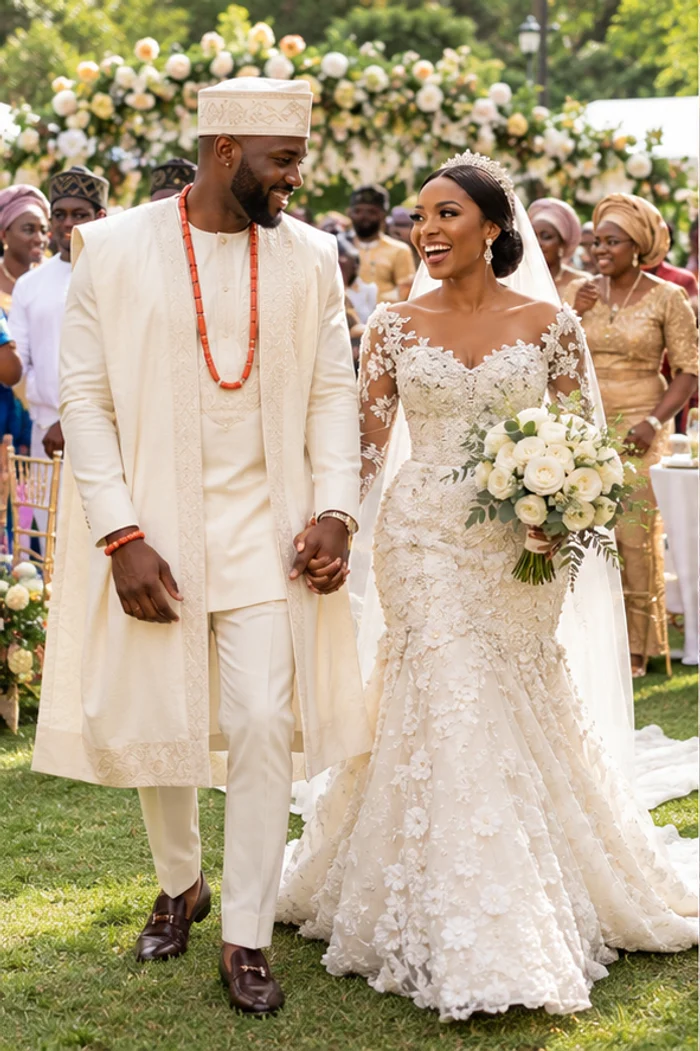
Ada & Emeka get married
Come celebrate with us.
Join Ada and Emeka for their wedding ceremony, followed by dinner and dancing with family and friends.
Hello Sample Guest,
Illustrative page and email previews using real Studio styles. Your own photos and details replace this sample.
3 · Invite
Bring your people in.
Send personal invitations or share an open RSVP link. Guests can respond without an account, and you can see who is coming.
- Invitations by email, with RSVP deadlines and plus-ones
- A guest list showing who is attending, undecided or yet to reply
- Customize the heading and messages on RSVP pages. Guests can add the Schedule item to their calendar after replying
- Choose invitation-only RSVPs or an open RSVP link
- From an open link, guests can receive a personal RSVP link by email or respond with a Nigerian phone number and save their private response link
- Collect dietary needs, special requests and a note for the host. Guests can update their response while RSVP is open
- Choose who can view the Celebration page: anyone with its link or invited guests only
- A short link with a seven-character code, and cards with a QR code that open your page
You choose when to send RSVP reminder emails to guests who have not replied. Separately, you can turn on automatic Schedule reminders before the date and on the day for confirmed guests with email addresses. Phone-only guests do not receive email reminders.
Guests
+ Invite guestWedding reception · Example guest list
4 · Celebrate
On the day, and around it.
Guests find the Schedule, send wishes and share the moment. Gifts are there if you want them.
- Wishes from your guests on your page. Read them anytime, save or share individual wishes as cards, or remove a message
- Photos in your Gallery, in the order you choose
- A Wishlist where each item can be a full gift or a group gift funded by several guests
- Live contribution progress, custom amounts and an option to fund the remaining amount
- Guests can report an item bought elsewhere. You confirm the purchase before the item stops accepting contributions
- Optional cash gifts with your own message, an optional goal and minimum, and controls for when they open
- Guests see applicable fees before paying, need no account, and you can reply to their gift messages. How gifts work
Wishes (24)
Tomi’s graduation · Example wishes
Tunde2 days ago
Congratulations, Tomi! So proud of you, graduate! ❤️
Fatima3 days ago
All that hard work paid off. Here’s to your next chapter!
Daniel3 days ago
So glad we could celebrate your graduation together! 🎉
 Congratulations,
Tomi! Here’s to
your next chapter. ❤️
5 · Remember
A page to look back on.
When the day is over, mark the Celebration complete. The story, photos and existing wishes stay as a record. New RSVP responses, cash gifts and Wishlist contributions close. You still choose who can view the page.


Ready to create yours?
Start with a title and a date.
Your page stays private to you until you publish it.
Create your Celebration